

For years, Linux users have been caught in the middle of one of the most passionate debates in the open-source community: GNOME Shell vs. Ubuntu’s Unity. Both desktop environments have their devoted fans, and both have shaped how millions interact with their Linux systems every day. But if you ask seasoned Linux users which one delivers a smoother, more flexible, and more productive experience, the answer increasingly tilts in favor of GNOME Shell.
Unity certainly had its strengths with sleek visuals, tight Ubuntu integration, and a unique HUD search system. However, when you dig deeper into daily usability, customization, and long-term workflow, GNOME Shell pulls ahead in ways that are hard to ignore.
In this opinion piece, we break down three solid reasons why GNOME Shell is, hands down, a better choice than Unity.
1. Unmatched Customization Through Extensions
One of the biggest reasons GNOME Shell takes the crown is its extension ecosystem. Out of the box, GNOME Shell looks clean and minimal — and some users argue it looks too minimal. But that’s exactly where its true power lies. With just a few clicks at extensions.gnome.org, users can completely transform their desktop into anything they want.
Want a dock similar to macOS? Install Dash to Dock. Need system monitoring on your top bar? Add a system monitor extension. Prefer a Windows-style taskbar? There’s an extension for that too. From clipboard managers to weather widgets, GNOME Shell’s extension library lets you build a desktop that suits your workflow — not the other way around.
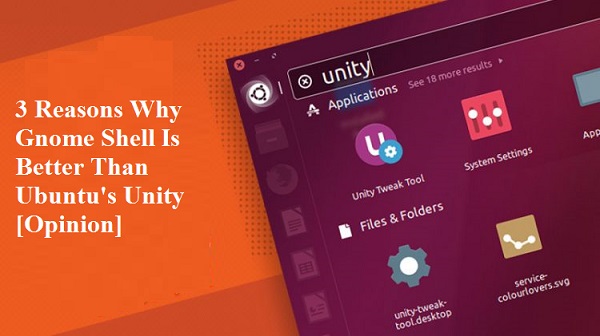
Unity, on the other hand, has always been a closed, opinionated environment. Customization options are limited mostly to Unity Tweak Tool, with no equivalent ecosystem for community-built extensions. If you don’t like how Unity does something, your only choice is to live with it — or switch desktops entirely. With GNOME Shell, you adapt the desktop to fit your habits, and that level of freedom is invaluable.
2. A Smarter, More Efficient Workflow
GNOME Shell’s design centers around productivity. The Activities Overview — accessible with a single keystroke or a hot corner — gives you instant access to open windows, virtual workspaces, and application search. This single feature alone can dramatically speed up multitasking, especially for users who juggle multiple applications throughout the day.
Virtual workspaces in GNOME Shell are dynamic and seamless. They expand and shrink as you need them, keeping things tidy without manual workspace management. Combine this with powerful keyboard shortcuts and intuitive window navigation, and you have a workflow that feels modern, fluid, and intentional.
Unity’s launcher and HUD, while innovative in their time, often felt rigid. The vertical launcher dominated screen real estate, and the global menu bar — though loved by some — was inconsistent across applications. Switching between many open windows could feel clunky, and workspaces never integrated as smoothly. GNOME Shell simply offers a more refined, distraction-free workspace, designed for users who actually want to get things done.
3. Better Performance, Stability, and Long-Term Support
Performance has long been a sore spot for Unity. Compositor lag, occasional graphical glitches, and high memory usage made the experience inconsistent — particularly on older or lower-end hardware. While Unity 7 improved over time, it never fully shed its reputation as a resource-heavy environment.
GNOME Shell, especially in its recent releases, has made huge strides in performance. With significant memory optimizations, better Wayland support, and smoother animations, it now runs noticeably lighter than Unity on the same hardware. Bugs are addressed quickly thanks to GNOME’s massive global developer community, and updates roll out at a consistent pace.
But perhaps the biggest factor is the future. Canonical officially discontinued Unity development in 2017 and switched Ubuntu’s default desktop back to GNOME. While Unity still has a small community keeping it alive through “Unity7 Maintained” and the new “Lomiri” project, it lacks the corporate backing, momentum, and developer base that GNOME enjoys. Choosing GNOME Shell means choosing a desktop with a vibrant ecosystem and a clear, supported future.
Final Thoughts
Unity had a great run and left a lasting mark on the Linux world — there’s no denying that. But in 2026, GNOME Shell stands as the more powerful, flexible, and forward-looking desktop environment. Its extension ecosystem gives users true freedom, its workflow design boosts productivity, and its performance and long-term support make it the smarter choice for both beginners and power users alike.
If you’re still on the fence, install both, give them an honest week of daily use, and see which one feels more like home. For most users, GNOME Shell will win — not because it’s flashier, but because it gets out of your way and lets you work the way you want to.

